
Capture steps
Side panel
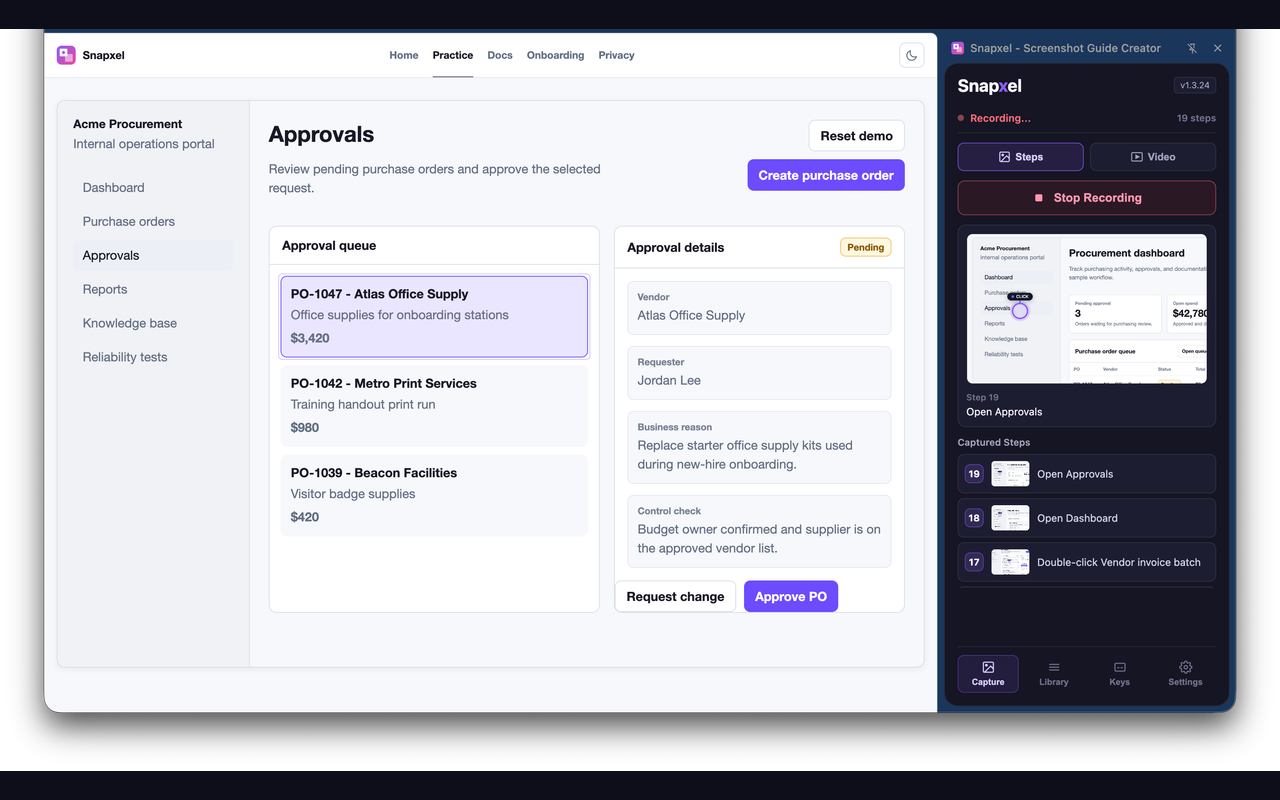
Start recording from the side panel and keep the current step list visible while you work.
Snapxel records the clicks, context, screenshots, and optional video behind a browser workflow, then gives you a guide or walkthrough that is ready to edit and export.
Record the process, tighten the captured guide, and export it where the team already works.
Open the page you want to document, start recording, and use the product normally.
Clicks, inputs, and shortcuts are detected automatically while screenshots are captured in sequence.
Adjust the guide in the editor, then export as GIF, PDF, markdown, PNG, or video.
Use the output in support docs, onboarding guides, internal wikis, release notes, or client handoff material.
The main surfaces are intentionally direct: capture in the sidebar, clean up in the editor, then export a guide or video.
Start recording from the side panel and keep the current step list visible while you work.
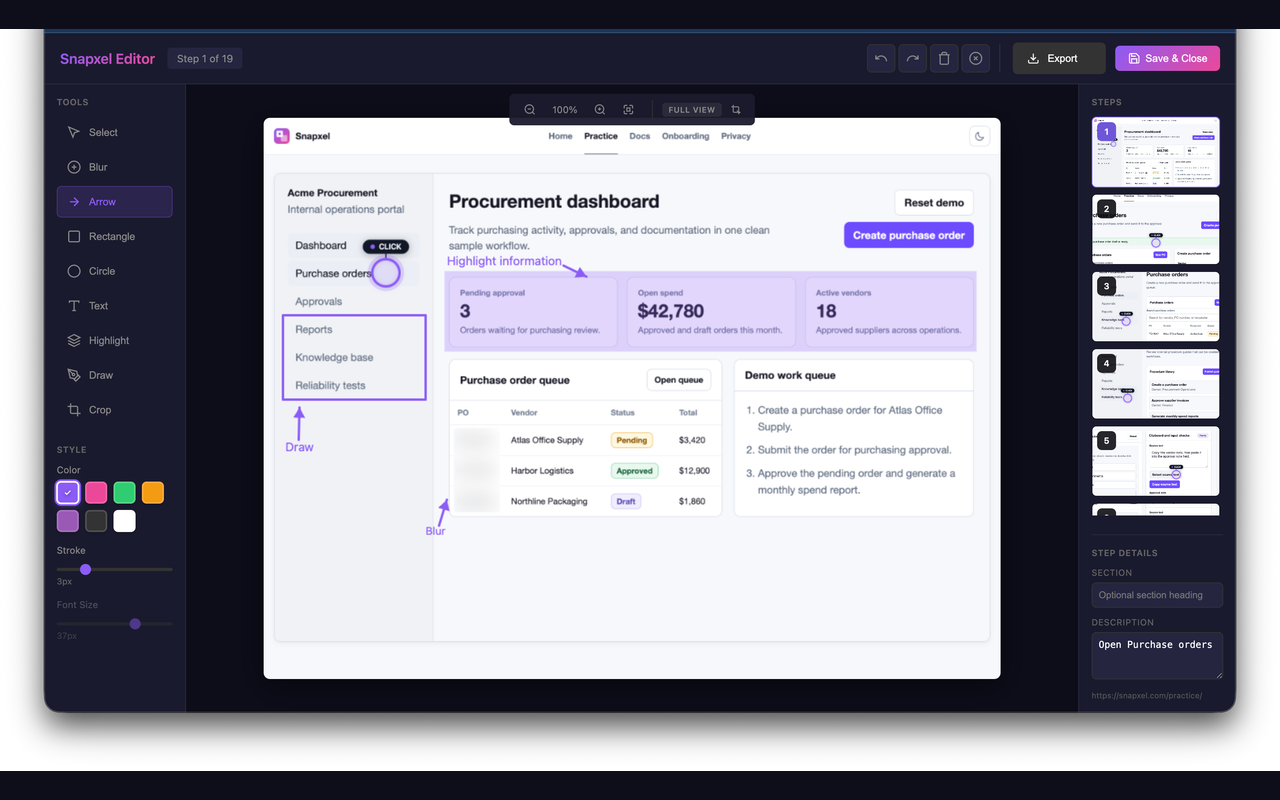
Use blur, arrows, text, crop, and shape tools to polish screenshots before sharing.
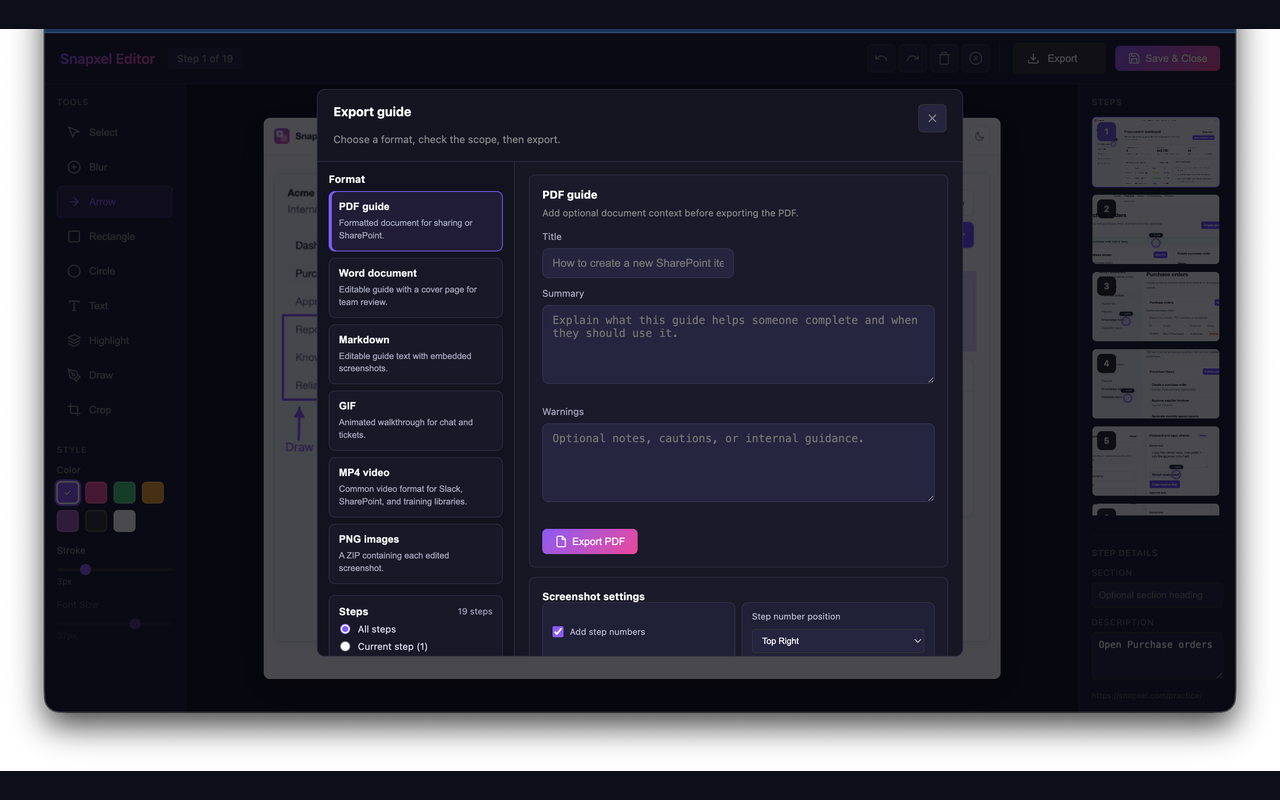
Choose the output format that matches the destination instead of rebuilding assets by hand.
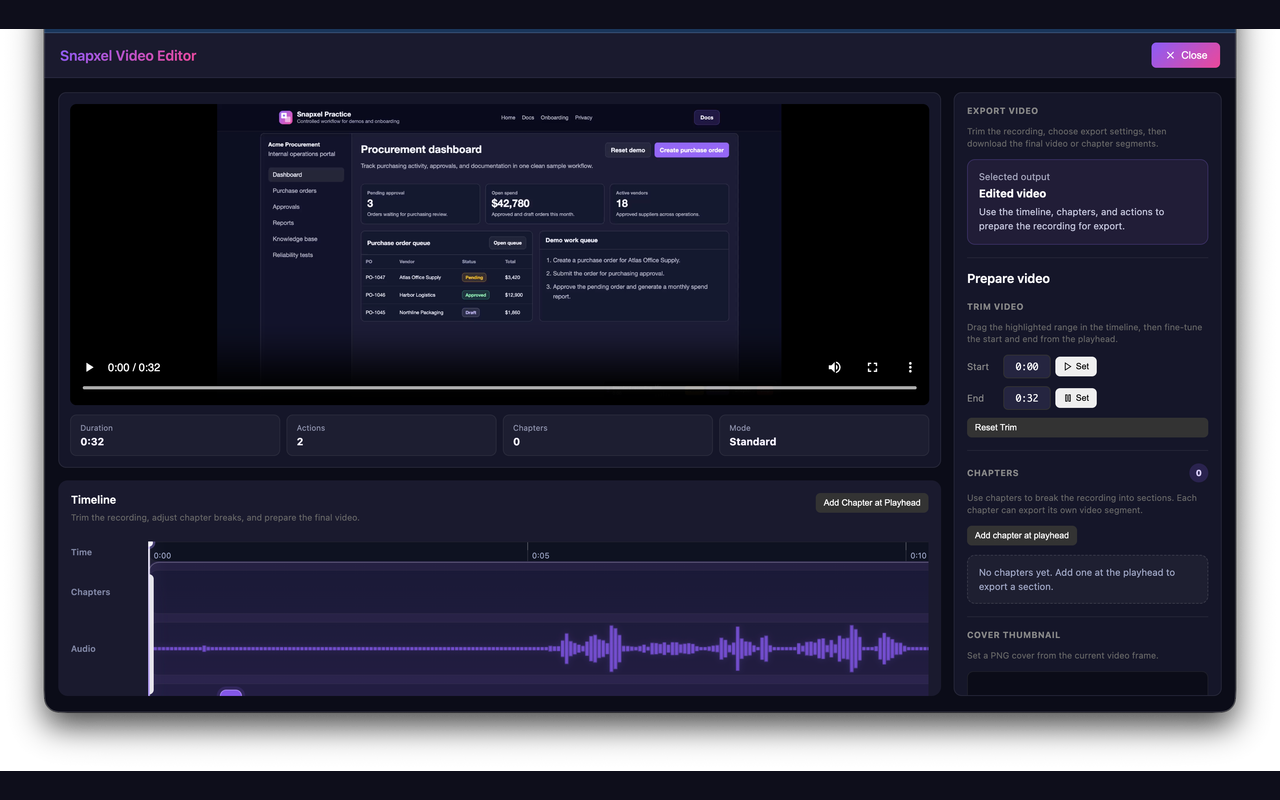
Trim recordings, review actions, add chapters, and prepare MP4 or WebM walkthroughs.
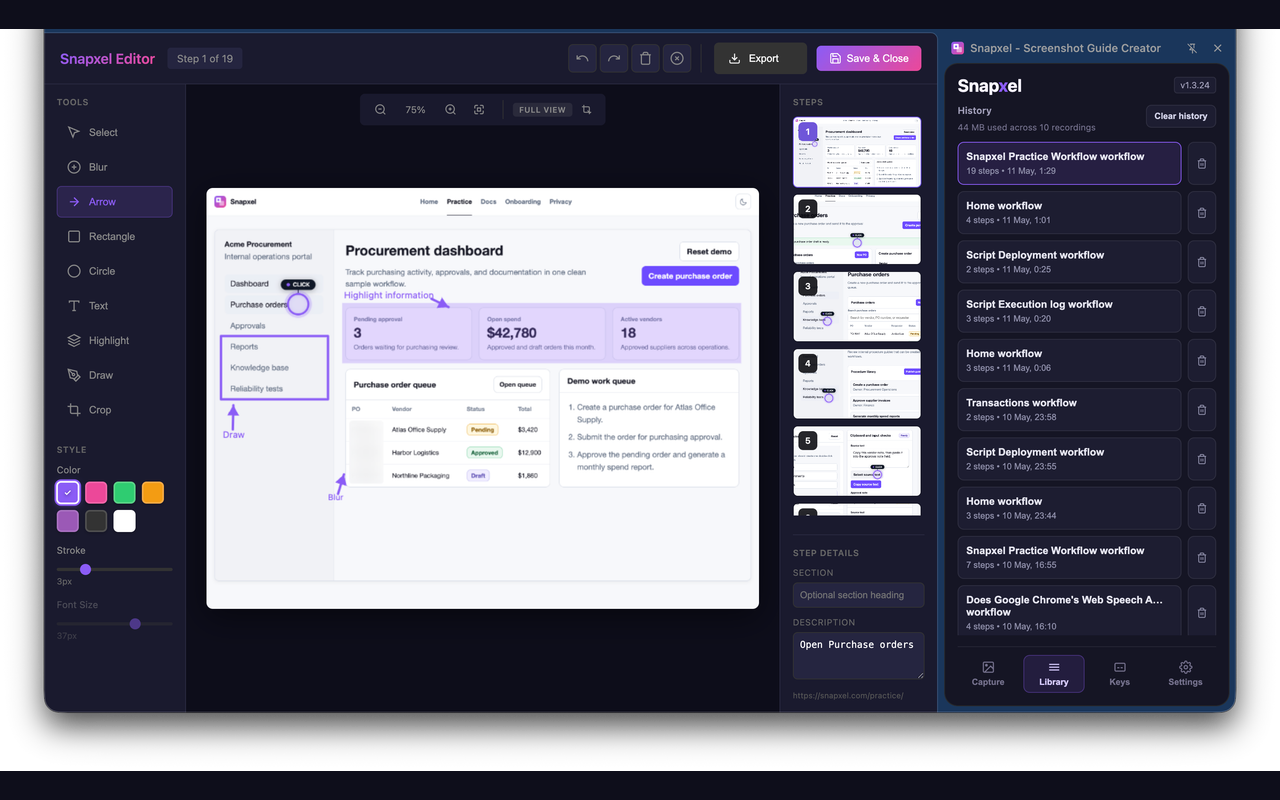
Previous recordings stay available locally so guides can be revisited and exported later.
Snapxel is strongest when a process needs to be explained clearly, repeated often, and shared without rebuilding screenshots by hand.
Show users exactly where to click instead of writing long text instructions.
Capture internal processes once and reuse the guide when someone joins.
Document configuration, approvals, and web-app setup flows for ops and IT teams.
Turn a new flow into a guide or walkthrough video for launches, demos, and clients.
Snapxel is useful because it does not force a new destination format on the team.
| GIF Short walkthroughs for chat, async updates, and handoffs. |
Configurable timing and loop behavior. |
| PDF Formal guides and printable documents. |
One screenshot per page with step descriptions. |
| Markdown Docs-ready output for GitHub, Notion, and internal knowledge bases. |
Structured steps with embedded images. |
| PNG ZIP Raw screenshots for teams that still want to post-process assets. |
Numbered files with metadata. |
| MP4 / WebM Full-motion browser recording when static steps are not enough. |
Video editor supports chapters, trim, captions, and enhanced export. |
Users should not have to guess how Snapxel works after they install it. The site now carries a proper docs route built from the quick start material already inside the extension.
Extensions get judged on permissions and data handling first. Snapxel needs to be clear and specific about both.
| activeTab Capture the visible tab when a recorded action happens. |
No cloud upload is required for the capture path. |
| scripting Detect actions and draw indicators on the page being documented. |
Needed to identify steps and show feedback. |
| downloads Save GIF, PDF, image, markdown ZIP, and video exports. |
Only used when a user chooses to export. |
| storage Persist settings, metadata, and local working state. |
Backed by Chrome storage and IndexedDB. |
| <all_urls> Allow user-initiated capture on the site the user wants to document. |
Required because browser workflows can happen on arbitrary sites. The content script is used for interaction detection only while recording is active. |
No. Snapxel processes screenshots and recordings locally on the device. Anonymous analytics can be disabled in settings.
Yes. That is the main use case this site is built around: browser workflows, internal process guides, support articles, release notes, and client handoff documentation.
The editor includes blur, annotations, shapes, text, crop, undo, and redo before you export the guide.
The docs route covers quick start, extension shortcuts, editor shortcuts, export behavior, and troubleshooting.