
Snapxel Docs
Use this page to understand the two capture paths, the shortcuts, and the export options before you put Snapxel into a real workflow.
New here? Start with the first-guide onboarding page.
The onboarding route is optimized for activation: one short workflow, one successful export, then move into the broader docs when you need more detail.
Quick start
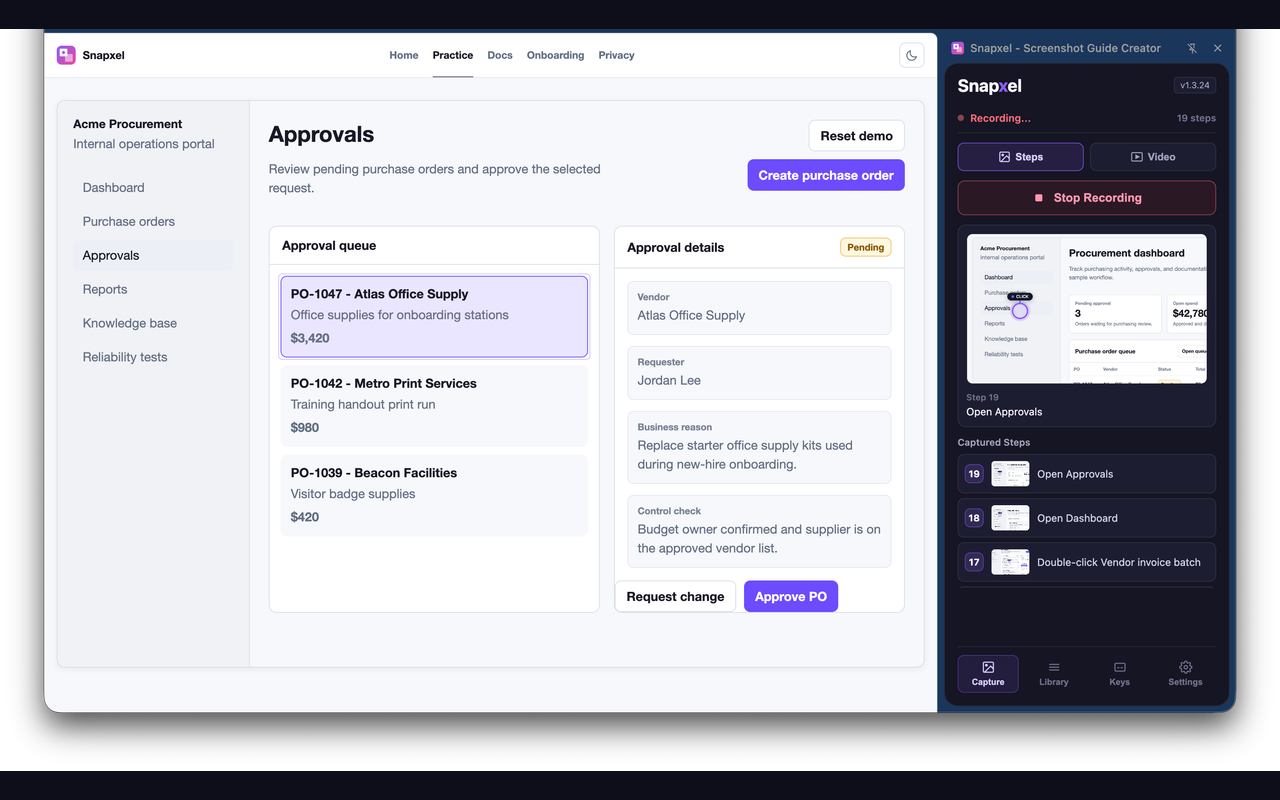
- Open the page you want to document.
- Pick Steps for a guide or Video for a motion walkthrough.
- Use the product normally: click a button, follow a link, type in a field, or use a shortcut.
- Stop the capture when the workflow is complete.
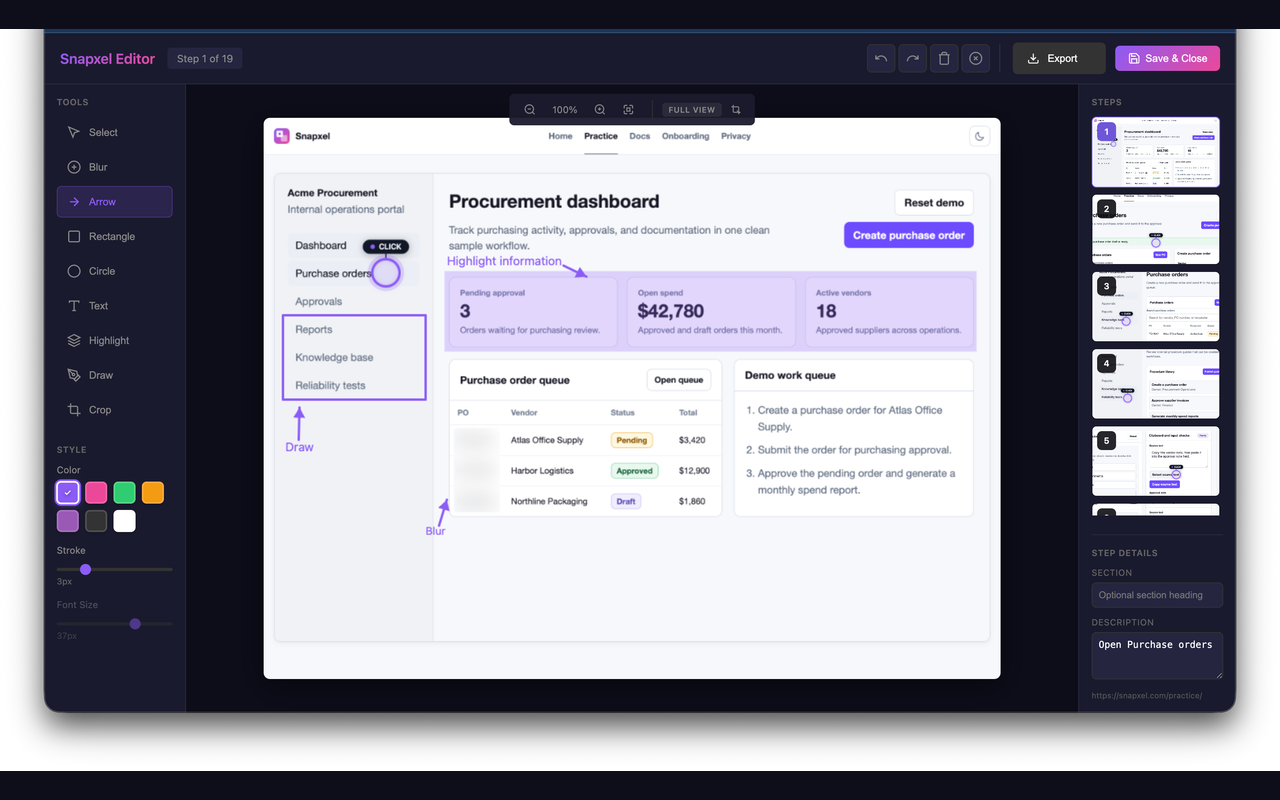
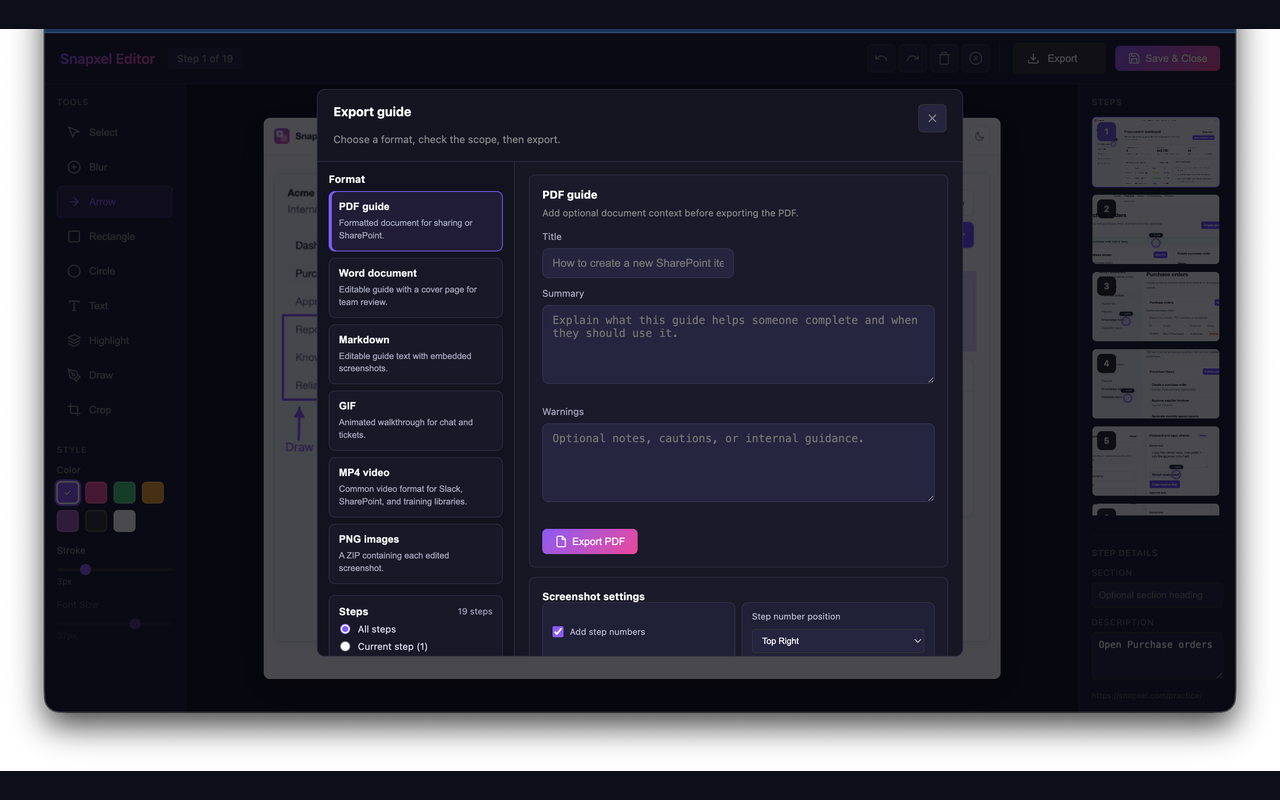
- Review the steps or timeline, then export the final file.
What gets captured
Snapxel is designed to turn a browser workflow into a guide without forcing manual screenshot work.
- Clicks on buttons, links, fields, checkboxes, and other interactive elements.
- Keyboard shortcuts such as save, copy, or other action steps.
- Text input activity, with typed values excluded by default.
- Optional video recording for full-motion walkthroughs when a step-by-step guide is not enough.
Keyboard shortcuts
Extension commands
Alt+Shift+Rstarts or stops recording.Alt+Shift+Scaptures the current step manually.
Editor shortcuts
Ctrl/Cmd+Ssaves and closes the editor.Ctrl/Cmd+Zundoes the last change andCtrl/Cmd+Yredoes it.←and→move between steps.V,B,A,R,C,T,H,D, andXselect editor tools.
To remap the extension command keys, open chrome://extensions/shortcuts.
Exports
- GIF: best for chat, demos, and async walkthroughs.
- PDF: best for formal guides and shareable documents.
- Markdown: best for docs systems that already accept markdown and images.
- PNG ZIP: best when the team wants raw screenshots.
- MP4 / WebM: best for full-motion capture and walkthrough videos.
Video mode
Video mode is built for full-motion walkthroughs. Users can choose capture quality, frame rate, audio, and format from the popup, then review chapters and trim in the editor.
- Standard recording adds live effects.
- Simple recording is the cleaner mode for complex web apps.
- Audio can be turned on for microphone capture.
- The video editor supports chapters, captions/actions, trim, raw download, and enhanced export.
Product surfaces
These are the main areas you will use when creating a guide: capture, edit, export, video review, and library history.
Troubleshooting
- If clicks are not captured after reloading the extension, refresh the current web page and start again.
- Confirm that the popup status shows that recording is active.
- If you expect typed text to be included, check the privacy setting first because it is off by default.